
Your direct booking page
reserving.app/your-business: your direct booking link for Google, social media, WhatsApp and QR — gallery, activities, prices and payment in each visitor's language. No website yet? You can also start right here.
Accept bookings and payments from your own website with Reserving's widget, from your public page, Instagram, WhatsApp, Google, links, or QR codes. Everything connected and managed from one place.
More than 50 organizations already manage their bookings with Reserving


reserving.app/your-business: your direct booking link for Google, social media, WhatsApp and QR — gallery, activities, prices and payment in each visitor's language. No website yet? You can also start right here.
Your clients choose a slot and pay by card, Apple Pay or Google Pay without installing anything. And if they want, they create their account with password, Google or Apple.
Group bookings with one pass per person. Staff validate them at the door with a mobile phone, even from a photo, with real attendance count.
Block vacations or construction work by painting on the calendar, or publish only your real schedule. What appears free is truly reservable.
Stripe integrated: each organization charges in its own currency and money goes directly into its account. Vouchers, capacity-limited events and point-of-sale for the counter included.
With ReservingLock, access is tied to the booking: no shared keys or public codes. An unpaid booking doesn't open.
Choose a day and time as one of your customers would. What you see is the same system you'd have on your website.
See more configuration examples →
And this is all you need to paste on your page:
<script src="https://reserving.app/widget.js"
data-org="tu-negocio" async></script>Share a link, post it on social media or put up a QR and let your customers book and pay without installing anything.
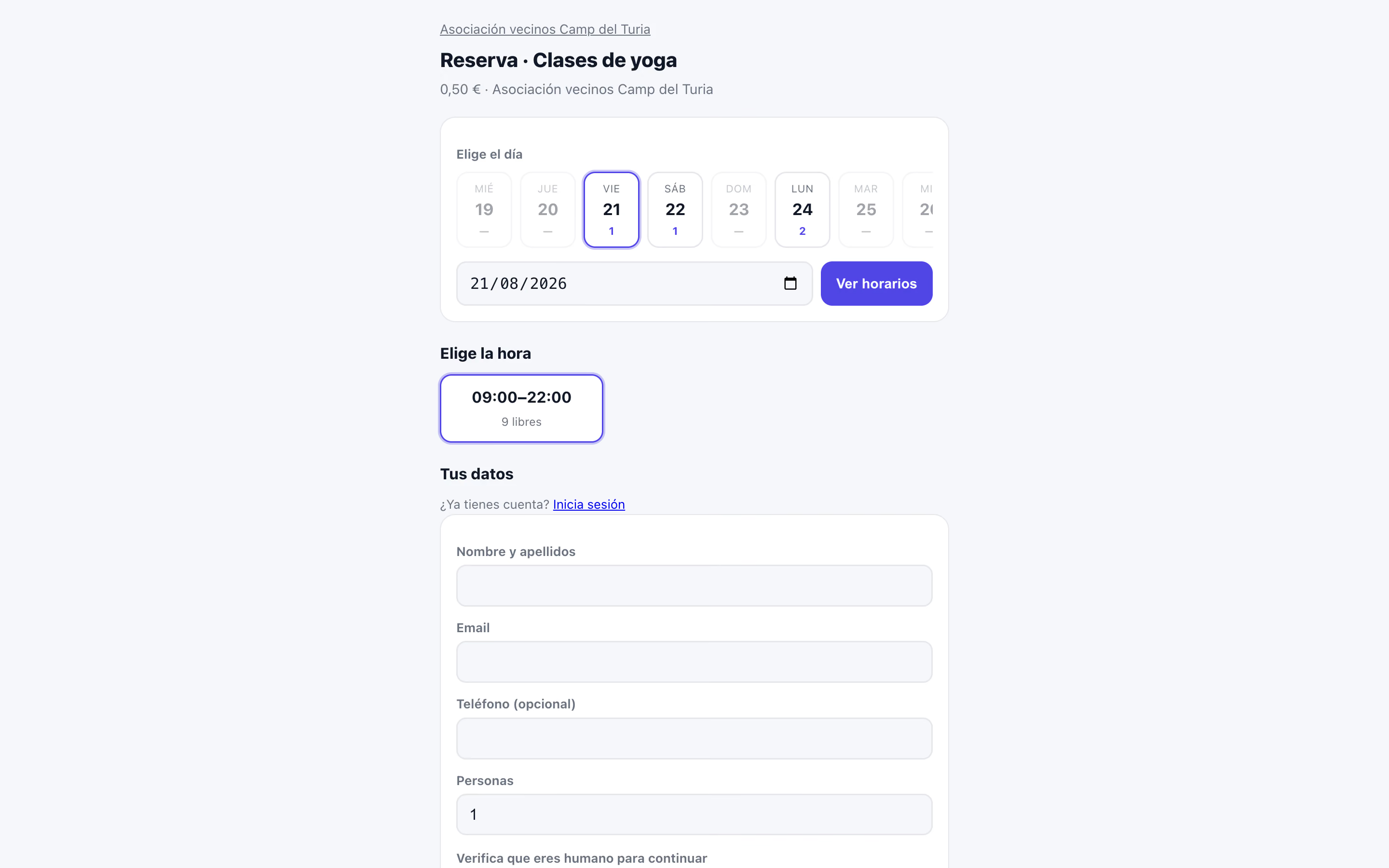
You embed the widget and your visitors book without leaving your page.
If you don't have a website, you have reserving.app/your-business from day one.
Instagram, WhatsApp, Google, posters, flyers, or a QR on the door.
One configuration. All your channels connected. A booking made from any of them ends up in the same place, with the same availability and the same rules.
Download the app and create your organization in a minute: the AI assistant guides you, and the address places itself on the map.
Courts, rooms, classes, or events, with their schedules, prices, and rules. Connect Stripe without leaving the app to get paid from day one.
Your page, your link, and your QR code already work. Bookings and payments come in on their own; you see everything from your mobile.
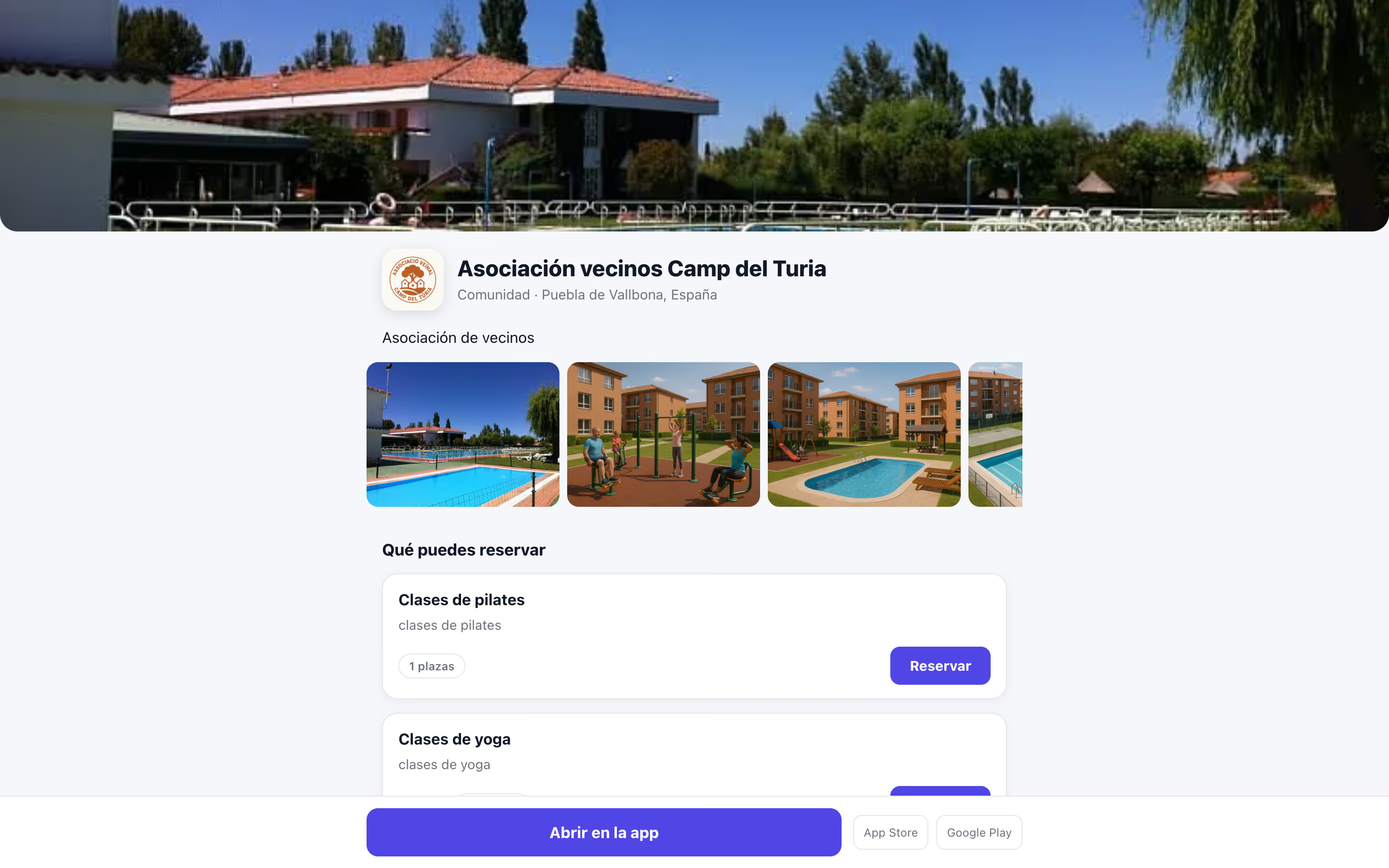
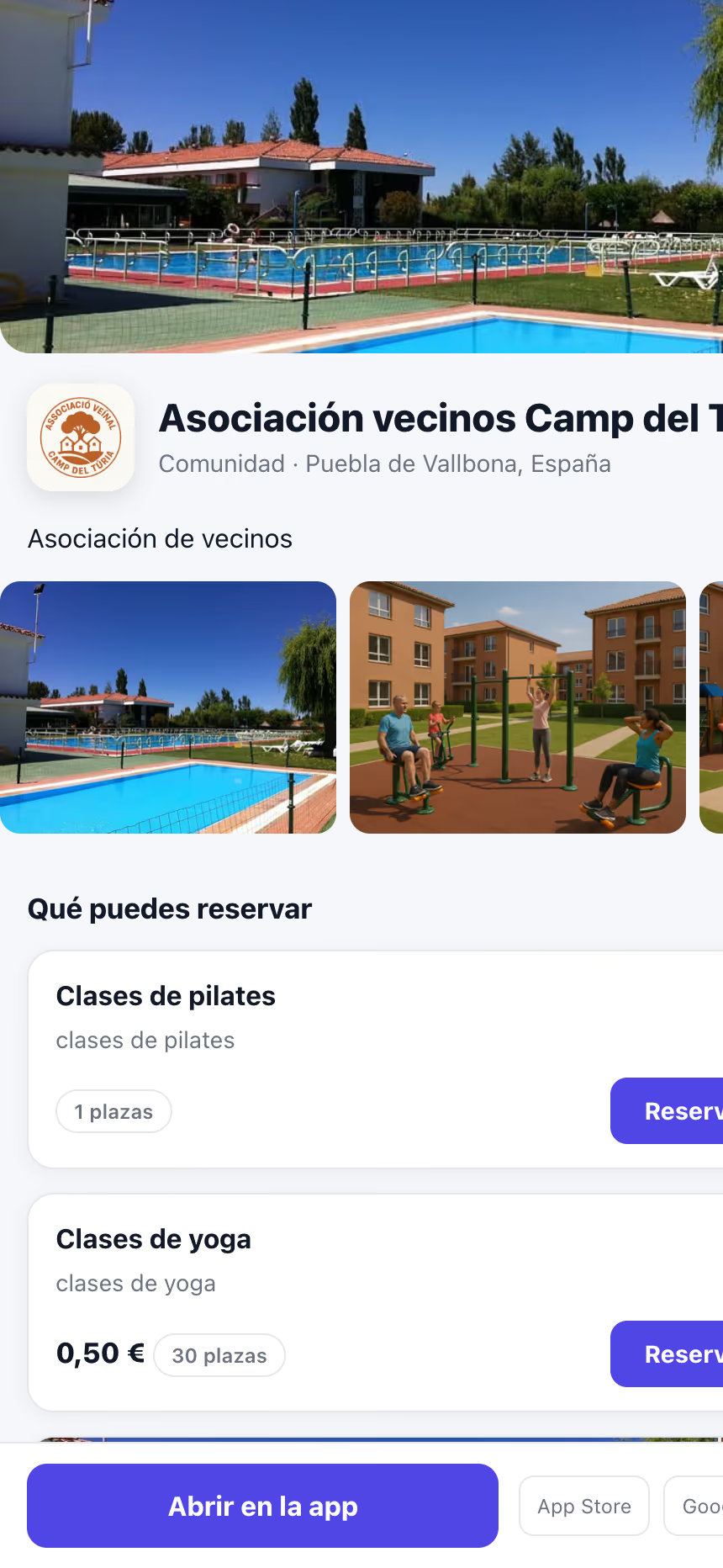
Every organization has its own public page on reserving.app: photos, activities with their details, prices, and the booking button. It’s generated automatically from what you set up in the app and translated into the visitor’s language.
A real page from an organization using Reserving.
No calls to return, no pending messages, and no lost slots for not answering on time.
You've already invested in your website, your Google ranking, and your brand. Reserving isn't meant to replace them: it adds to them.
If you can paste a snippet of HTML on your page, you can add Reserving. Copy the code, place it wherever you want, and that's it: rules, availability, prices, and bookings continue to be managed from Reserving.
Does your editor remove scripts? We have a version that doesn't use them.
Add booking to my website0 €
To get started: unlimited bookings, your public page, events and member management.
Start for free€9.99/month per PRO user
Everything in the free plan, plus online payments with Stripe, passes, POS, QR tickets and access control.
Start with ProNo commitment. The platform fee only applies to online payments.
From a solo professional to a hotel, an academy, or a large sports center.
Physiotherapists · Psychologists · Nutritionists · Dentists · Clinics · Podiatrists · Yoga · Pilates
Hair salons · Barbershops · Beauty centers · Manicure · Laser hair removal · Tattoo artists · Makeup artists
Padel · Tennis · Swimming pools · Gyms · CrossFit · Martial arts · Climbing · Surf schools
Academies · Private tutors · Languages · Driving schools · Music · Dance · Cooking · Civil service exams
Lawyers · Advisers · Administrative firms · Architects · Real estate agencies · Photographers · Coaches · Consultants
Coworking spaces · Meeting rooms · Offices · Photography studios · Workshops · Auditoriums · Storage rooms
Hotels · Day use · Campsites · Excursions · Tours · Escape rooms · Museums · Guided tours
Restaurants · Cafeterias · Themed dinners · Group bookings · Wine tastings · Cooking classes
Concerts · Theaters · Workshops · Conferences · Congresses · Fairs · Exhibitions · Limited-capacity tickets
Neighborhood communities · Housing developments · Associations · Parent-teacher associations · Senior centers · Youth centers
City councils · Civic centers · Municipal sports centers · Libraries · Cultural centers
Auto repair shops · Car wash and detailing · Car rental · Bicycles · Motorcycles · Boats · Parking
Veterinarians · Dog grooming salons · Dog trainers · Dog daycares · Pet hotels
Bicycles · Surfboards · Kayaks · Ski equipment · Tools · Audiovisual equipment
Can't find your activity? If you work with appointments, schedules, spots, capacity, rentals, or bookings, Reserving is probably for you too.
From clinics and academies to coworkings, sports facilities and city councils: see how they run their bookings with Reserving

Reserving has completely transformed the management of our tennis and padel courts. We used to lose hours on the phone organizing reservations and keeping track on paper. Now our members book from the app in seconds, can purchase credit packages and receive automatic notifications. The best part is the access system with ReservingLock: members open the courts with their phone without needing keys. It has allowed us to extend hours late into the evening without additional staff.

As the manager of a coworking space with 12 meeting rooms and 45 flexible desks, I needed a solution that was both powerful and easy to use. Reserving gave us exactly that. Resource management is intuitive, online payments work seamlessly with Stripe, and the ability to create recurring events for workshops and networking has been invaluable. Our members love the app and we've reduced last-minute cancellations by 70% thanks to automatic reminders.


Our community center hosts everything from yoga classes to sporting tournaments and cultural events. Reserving allows us to manage everything from a single platform: event registrations, ticket sales, credit packages for recurring classes, and space reservations. The 'Explore' section has been a game-changer: residents who had never visited the center find us in the app and sign up for our activities. We've tripled event participation in just 6 months.


Automatic invoicing and recurring payments have been a lifesaver for our business. We used to spend days each month sending invoices manually and chasing late payments. Now everything is automatic: monthly subscription members are charged automatically, and those using credits can top up from the app. The statistics dashboard gives us real-time visibility into space usage, which has helped us optimize our pricing and peak demand hours.


Reserving's multilingual capability has been essential for us. We serve both the local Japanese community and foreign residents. The app automatically displays in the user's language, which eliminates barriers and makes everyone feel welcome. Recurring event management is perfect for our weekly ikebana, tea ceremony, and martial arts classes. The automatic waiting list system ensures we always have full classes.


We started with Reserving 8 months ago and it has been the best decision for our coworking space. What we value most is the flexibility: we can configure different types of resources (private rooms, phone booths, meeting rooms), set automatic or manual approval rules depending on member type, and create custom credit packages. Technical support is excellent and they're always adding new features based on feedback from users like us.

No. Anyone can book and pay from the browser on your reserving.app page, with card, Apple Pay or Google Pay. The app gives them extras: their bookings always at hand, QR passes on their phone, and door access if you use ReservingLock.
Yes. With the Reserving widget, your customers can check availability, book and pay without leaving your website. You copy a small code, paste it wherever you want and that's it: schedules, capacities, prices and bookings continue to be managed from Reserving.
No. Everything is managed from the app: bookings, payments, passes, events, members and access. The computer is optional.
You connect your Stripe account from the app in a few minutes and charge in your currency: card, Apple Pay and Google Pay. The money goes straight to your Stripe account and from there to your bank.
Yes. The platform is available in 12 languages, prices are shown in each organization's currency, and international payments work in dozens of countries with Stripe.
Reserving brings together what often comes separately: booking, payment, the pass, QR entry and even the door (ReservingLock). And your customers just need the browser, without installing anything.
No. Reserving generates the code ready to paste and notifies you of anything needed. If you prefer not to touch your website, there's a button to send it to whoever manages it for you.
No. If you don't have a website, Reserving creates your own public booking page at reserving.app/your-business. And if you ever build a website, you add the widget to it without starting from scratch.
They all use the same availability and end up in the same place, whether from your website, your Reserving page, Instagram or a printed QR code. There are no two calendars to reconcile.
Create your organization for free and publish your booking page in an afternoon. No commitment and personal support.